
Table of Contents
ToggleIndoor air quality isn’t something most homeowners think about until allergies kick in or dust starts settling faster than they can wipe it down. If you’ve invested in a Honeywell air purifier, you’ve already taken a solid step toward cleaner air, but the filter itself is doing the heavy lifting. Filters trap dust, pollen, pet dander, smoke, and volatile organic compounds (VOCs), which means they’re constantly clogging up with the gunk you don’t want to breathe. Ignoring filter maintenance is like installing a screen door and never cleaning the mesh: eventually, it stops working. This guide walks through everything needed to keep a Honeywell air purifier running at peak performance, from identifying filter types to knowing when it’s time to swap them out.
Key Takeaways
- Honeywell air purifier filters come in three main types—HEPA (capturing 99.97% of particles down to 0.3 microns), activated carbon (handling odors and gases), and combination filters—each requiring different replacement schedules and maintenance approaches.
- Replace HEPA filters every 8–12 months and carbon filters every 3–6 months, or sooner if you notice reduced airflow, visible dirt buildup, persistent odors, or increased noise from the unit.
- Always purchase genuine Honeywell air purifier replacement filters from authorized retailers like Honeywell’s official website, Home Depot, Lowe’s, or verified sellers on Amazon to avoid counterfeit products that compromise filtration performance.
- Replacing a Honeywell filter takes less than five minutes and requires no tools—simply unplug the unit, remove the old filter, clean the interior, install the new filter in the correct airflow direction, and reset the filter indicator light.
- Inspect filters every 2–3 months in households with pets, allergies, or smokers, as microscopic particles can clog inner filter layers without visible surface dirt, reducing air purification efficiency.
Understanding Honeywell Air Purifier Filter Types
Honeywell air purifiers use a few different filter technologies depending on the model and what contaminants need capturing. Knowing which filter type a unit uses helps with buying the right honeywell air purifier replacement filters and understanding what each one actually does.
HEPA Filters
HEPA (High-Efficiency Particulate Air) filters are the workhorses of air purification. True HEPA filters capture 99.97% of airborne particles as small as 0.3 microns, that includes pollen, mold spores, dust mites, and most bacteria. Honeywell uses true HEPA filters in many of their tower and console models, and these filters are typically labeled with an “H” or “HEPA” designation.
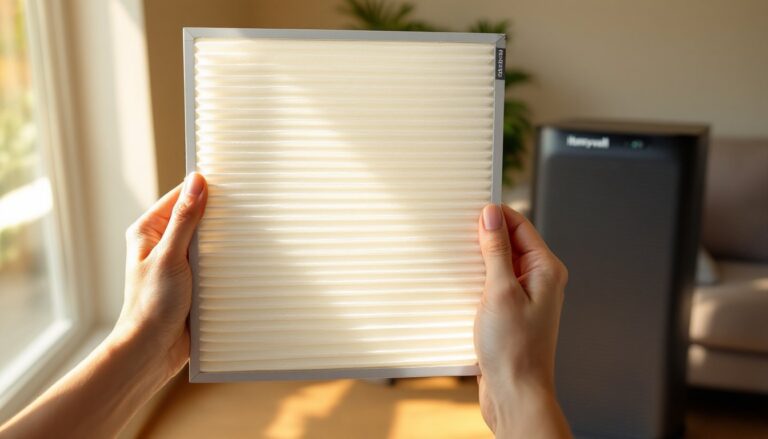
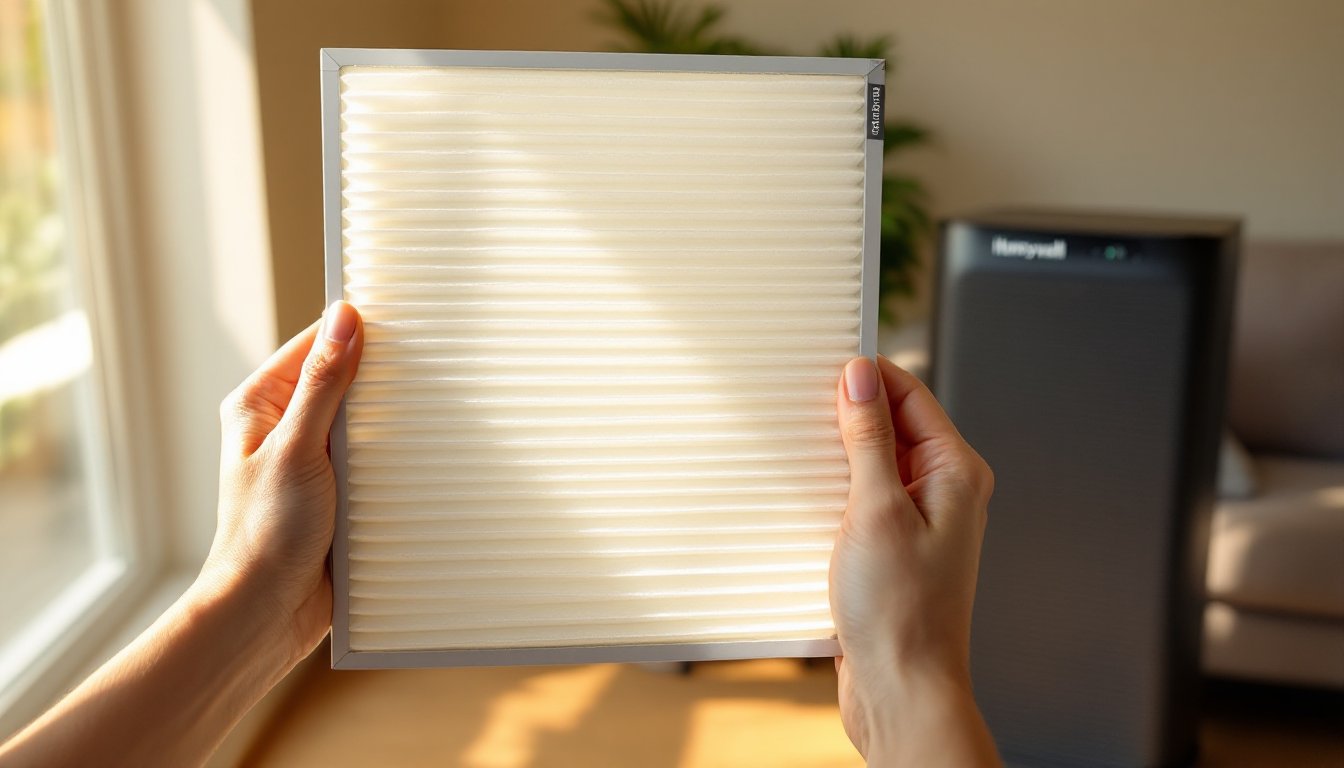
HEPA filters are dense, pleated sheets that look accordion-folded. They don’t use electricity or chemicals, just physical filtration through a maze of fibers. Because of this density, they do create some airflow resistance, which is why HEPA-equipped units often have stronger fans.
Most Honeywell HEPA filters are designed to last 12 months under normal household use, though homes with pets, smokers, or high dust levels may need replacement closer to the 8–10 month mark. When shopping for replacements, look for the specific model number printed on the old filter or in the user manual. Counterfeit filters exist, and they often use lower-grade materials that don’t meet true HEPA standards.
Carbon and Odor Filters
Activated carbon filters (sometimes called charcoal or odor filters) tackle smells and gaseous pollutants that HEPA filters can’t catch. These include cigarette smoke, cooking odors, pet smells, VOCs from paint or cleaning products, and even some lighter chemicals.
Carbon filters work through adsorption, pollutants stick to the porous surface of activated carbon granules. The more surface area, the better the odor control. Honeywell often layers a thin carbon pre-filter in front of the HEPA filter or integrates carbon into a combination filter.
Unlike HEPA filters, carbon filters have a shorter lifespan, typically 3 to 6 months, because once the carbon’s surface is saturated, it stops adsorbing. There’s no visual cue like a dirty HEPA filter: the carbon just quits working. If a room starts smelling stale again even though the purifier running, the carbon filter is likely spent.
Some Honeywell models use combination filters that sandwich a carbon layer with a HEPA layer in one replaceable unit. These are convenient but can be pricier than separate filters. Check whether the model uses a standalone carbon pre-filter (usually a thin black sheet) or an integrated combo filter before ordering honeywell air purifier replacement filters.
How to Know When to Replace Your Honeywell Filter
Most Honeywell air purifiers have a filter replacement indicator light, usually labeled “Check Filter” or “Replace Filter”, that illuminates after a set number of runtime hours. This is a timer-based reminder, not a sensor, so it assumes average use in average conditions. In dusty homes or during wildfire season, filters can clog faster than the timer expects.
Here’s how to tell if a filter genuinely needs replacing, even if the light hasn’t triggered yet:
- Reduced airflow: If the purifier used to create a noticeable breeze and now barely moves air, the filter is likely clogged. Hold a tissue near the intake grille, if it doesn’t pull in, the filter’s choked.
- Visible dirt buildup: Pull the filter out and inspect it. HEPA filters should look uniformly white or light gray when new. If they’re dark gray, brown, or visibly matted with dust and hair, they’re done.
- Persistent odors: If cooking smells, pet odors, or mustiness linger even though the unit running, the carbon layer is saturated.
- Increased energy use or noise: A clogged filter forces the fan to work harder, which can increase noise and power draw.
If the indicator light comes on but the filter looks clean and airflow is strong, it’s safe to reset the timer (check the manual for reset instructions) and keep using it. Conversely, if the light hasn’t come on but airflow is weak and the filter looks filthy, replace it anyway.
For households with pets, allergies, or smokers, many home appliance testing labs recommend inspecting filters every 2–3 months and replacing HEPA filters at least once a year, even if they don’t look terrible. Microscopic particles can clog the inner layers without visible surface dirt.
Safety note: Always unplug the air purifier before removing or inspecting filters. Some models have a safety interlock, but it’s better to cut power entirely.
Step-by-Step: Replacing Your Honeywell Air Purifier Filter
Swapping a Honeywell air purifier filter is one of the easiest home maintenance tasks, no tools required, and it takes less than five minutes. Here’s the general process, which applies to most Honeywell tower, console, and tabletop models.
Materials and prep:
- Replacement filter(s) matching the model number
- Vacuum with brush attachment (optional, for cleaning the unit interior)
- Damp microfiber cloth
Steps:
- Unplug the unit. This prevents accidental startup and protects against shock if there’s any moisture inside.
- Locate the filter access door. On tower models, this is usually a panel on the back or side held by clips or a latch. Console models often have a front grille that swings open. Tabletop units may have a top or bottom access hatch. Check the manual if it’s not obvious.
- Remove the old filter(s). Slide or lift out the filter. Some models have a handle or tab. If there’s a separate pre-filter (a thin mesh or carbon sheet in front of the HEPA filter), remove that first. Expect dust and hair to come with it, do this over a trash can or outside.
- Inspect the interior. Use a vacuum brush attachment to clean any dust from the fan blades, intake vents, and filter housing. Wipe down plastic surfaces with a damp cloth. Avoid getting water near the motor or electronics.
- Unwrap the new filter. Remove all plastic packaging. Some filters have a protective sleeve or tags, peel those off. Don’t touch the pleated filter media with dirty hands: oils and debris reduce efficiency.
- Install the new filter. Slide it into the housing in the same orientation as the old one. Most HEPA filters have an arrow indicating airflow direction (usually pointing toward the fan). If there’s a pre-filter, reinstall that on the intake side.
- Close and latch the access door. Make sure it clicks or locks into place. A loose door creates air gaps that let unfiltered air bypass the filter.
- Plug in and reset the filter timer. Power on the unit. If it has a filter indicator light, press and hold the reset button (usually on the control panel) until the light turns off. Refer to the manual for the exact reset procedure, some models require holding two buttons simultaneously.
- Run the unit for a few minutes. Listen for abnormal noise (rattling could mean the filter isn’t seated properly) and check that airflow feels strong.
Disposal: HEPA and carbon filters aren’t typically recyclable due to trapped contaminants. Seal used filters in a plastic bag and toss them in the regular trash. If the filter captured mold or allergens, consider wearing a dust mask during removal to avoid stirring up particles.
For units with washable pre-filters (some Honeywell models have a foam or mesh pre-filter that’s reusable), rinse it under cool water, let it air-dry completely, and reinstall. Never wash a HEPA or carbon filter, water destroys the filtration media.
Where to Buy Genuine Honeywell Replacement Filters
Counterfeit and off-brand filters are a real problem, especially on third-party marketplaces. They’re cheaper, but they often use lower-grade materials, incorrect sizing, or no true HEPA certification. That means less effective filtration and potentially shorter lifespan.
Best sources for genuine Honeywell filters:
- Honeywell’s official website: Direct from the manufacturer. Filters are guaranteed authentic, and they often run promotions or subscription discounts for regular replacements.
- Big-box home improvement stores: Lowe’s, Home Depot, and Ace Hardware stock Honeywell filters in-store and online. You can compare model numbers on the shelf and take the filter home same-day.
- Major online retailers: Amazon, Walmart, and Target carry genuine Honeywell filters, but always verify the seller. Look for “Ships from and sold by Amazon” or “Sold by Walmart” rather than third-party sellers. Check reviews for mentions of counterfeits.
- Dedicated appliance and HVAC suppliers: Local HVAC shops or appliance parts stores sometimes carry air purifier filters and can order specific models if they’re not in stock.
What to check when buying:
- Model number match: Honeywell filters have specific part numbers (e.g., HRF-R1, HPA300, HEPAClean). Cross-reference the filter model with your air purifier’s user manual or the label on the old filter.
- Packaging: Genuine Honeywell filters come in branded boxes with clear product information, barcodes, and installation instructions. Generic white boxes or misspelled labels are red flags.
- Price: If a filter is significantly cheaper than retail (e.g., half the price of other listings), it’s likely counterfeit or gray-market stock.
- HEPA certification: True HEPA filters are tested and certified. If the listing says “HEPA-type” or “HEPA-like,” it’s not the real deal.
Many expert product review sites and home improvement guides emphasize buying from authorized retailers to avoid filtration performance issues. Subscription services (available through Honeywell and some retailers) can save 10–15% and ensure filters arrive on schedule, which is handy if you’re prone to forgetting maintenance.
Conclusion
Air purifiers only work as well as their filters allow. A clogged or expired filter turns a purifier into an expensive fan, and a counterfeit filter wastes money without delivering clean air. Checking filters every few months, replacing them on schedule, and buying genuine honeywell air purifier replacement filters keeps indoor air quality where it should be, and keeps the unit running efficiently for years. It’s a five-minute swap that pays off every time someone takes a breath indoors.