
Table of Contents
ToggleInstalling a business security camera system yourself isn’t just about saving money, it’s about understanding every angle, cable, and connection in your building’s security infrastructure. Small business owners who tackle their own security camera installation gain control over their surveillance setup, learn to troubleshoot issues without waiting on a contractor, and can expand their system as their business grows. This guide walks through the planning, equipment selection, and installation process for a professional-grade security camera system, with honest talk about when you’ll need help and when you can handle it solo. Whether you’re securing a retail storefront, warehouse, or office space, the fundamentals remain the same: smart planning beats rushed installation every time.
Key Takeaways
- DIY business security camera system installation saves 50–60% in labor costs, typically reducing a $1,200–$2,500 professional installation to $400–$1,200 in equipment expenses.
- Strategic camera placement at entry/exit doors, point-of-sale terminals, and inventory areas with proper mounting height (8–10 feet) and angle (15–25 degrees) captures critical faces and incident details.
- IP camera systems with PoE (Power over Ethernet) offer superior expandability and remote viewing compared to analog systems, making them the preferred choice for modern business security camera installations.
- Proper cable planning and testing before camera installation prevents costly damage and troubleshooting delays—always use Cat6 cable, maintain 6-inch separation from electrical lines, and test each line with a network tester.
- Complex network infrastructure, multi-story buildings, or locations requiring concrete conduit runs justify hiring a licensed electrician, especially when low-voltage work runs near AC electrical lines.
- Strong NVR configuration with encrypted passwords, proper recording schedules, and remote access setup completes your installation and protects against unauthorized system access.
Why Installing Your Own Business Security Camera System Makes Sense
A professional security camera installation business typically charges $1,200–$2,500 for a basic 4-camera system, plus $150–$250 per additional camera. Labor often accounts for 50–60% of that cost. By handling the installation yourself, you’re looking at equipment-only expenses, usually $400–$1,200 for a quality 4–8 camera IP system with an NVR (network video recorder).
Beyond cost savings, DIY installation gives business owners intimate knowledge of their system. You’ll know which camera covers the cash register, where cables run through walls, and how to add cameras when you expand into the storage room next year. That familiarity becomes critical during troubleshooting or when adjusting camera angles after a layout change.
That said, some scenarios call for professional help. Buildings with complex network infrastructure, locations requiring conduit runs through concrete or brick, or multi-story installations with challenging cable paths may justify hiring a licensed low-voltage electrician. If your building has a drop ceiling with accessible plenum space and wood-frame walls, you’re in excellent DIY territory. Always check local ordinances, some municipalities require permits for low-voltage wiring, though enforcement varies.
Safety note: If your camera installation requires running wires near AC electrical lines, consult NEC Article 725 guidelines for separation requirements, or hire a licensed electrician. Mixing low-voltage and line-voltage work without proper knowledge creates fire and shock hazards.
Planning Your Business Security Camera Layout
Start with a building walkthrough at different times of day. Lighting conditions change dramatically between morning, afternoon, and night, affecting camera placement and lens requirements. Sketch a floor plan marking entry/exit points, high-value inventory areas, cash handling zones, and any blind spots created by shelving or equipment.
Identifying Critical Coverage Areas
Prioritize coverage based on risk and liability:
- Entry and exit doors: Mount cameras 8–10 feet high, angled down at 15–25 degrees to capture faces clearly. Too high and you’ll only see the tops of heads.
- Point-of-sale terminals: Position cameras to capture both the register and customer interactions. This protects against external theft and internal discrepancies.
- Inventory storage and receiving docks: Wide-angle cameras (90–110 degree field of view) work well here, though they sacrifice detail at distance.
- Parking lots and exterior perimeters: Require weatherproof cameras rated IP66 or higher, with infrared night vision extending 60–100 feet depending on lot size.
- Vulnerable access points: Back doors, side entrances, and windows at ground level need coverage even if rarely used.
Count your camera needs, then add 10–15% for unexpected blind spots discovered during installation. Running cable for a future camera costs pennies during initial installation, but hundreds later when you’re cutting into finished walls.
Consider camera overlap at critical zones. The front entrance might warrant two cameras, one for facial identification and another capturing the full entry sequence. According to research on hardwired surveillance setups, multi-angle coverage dramatically improves incident documentation.
Document your plan with measurements. Note ceiling height, cable run distances, and potential obstacles like HVAC ducts or steel beams. This prep work determines your cable and equipment quantities.
Choosing the Right Security Camera System for Your Business
Most businesses in 2026 choose between IP (Internet Protocol) camera systems and traditional analog HD systems. IP systems dominate the market for good reasons: better resolution, easier expansion, and integration with business networks.
IP Camera Systems use network cables (Cat5e or Cat6) carrying both power and data via PoE (Power over Ethernet). A typical setup includes:
- 4MP or 5MP IP cameras (higher megapixel counts deliver clearer zoomed footage)
- PoE NVR with built-in network switch (8-channel or 16-channel depending on camera count)
- Cat6 Ethernet cable rated for in-wall installation (CMR or CMP rating)
- Hard drive storage (2TB minimum for 7 days of continuous recording from 8 cameras: calculate 60GB per camera per day for 4MP resolution)
IP systems shine for businesses planning to view cameras remotely via smartphone or integrate with access control systems. Setup is genuinely plug-and-play once cables are run, cameras receive power and transmit data through a single cable.
Analog HD Systems (TVI, CVI, or AHD) use coaxial cable and a DVR (digital video recorder). They cost 15–20% less than comparable IP systems and work well for simple installations. But, they’re harder to expand and offer limited remote viewing capabilities.
For a small retail shop or office (under 3,000 sq ft), an 8-channel PoE NVR system with six 4MP dome or turret cameras handles most needs. Warehouses or larger spaces may need 16+ cameras with a dedicated network switch separate from the NVR.
Budget example for a typical 8-camera IP system:
- 8-channel PoE NVR with 2TB drive: $200–$350
- Eight 4MP IP cameras: $35–$70 each ($280–$560 total)
- 1,000 ft Cat6 cable spool: $90–$130
- Connectors, mounts, and tools: $50–$80
- Total equipment cost: $620–$1,120
Professional installation for this same system through platforms like Angi or HomeAdvisor would typically add $800–$1,500 in labor.
Step-by-Step Installation Process
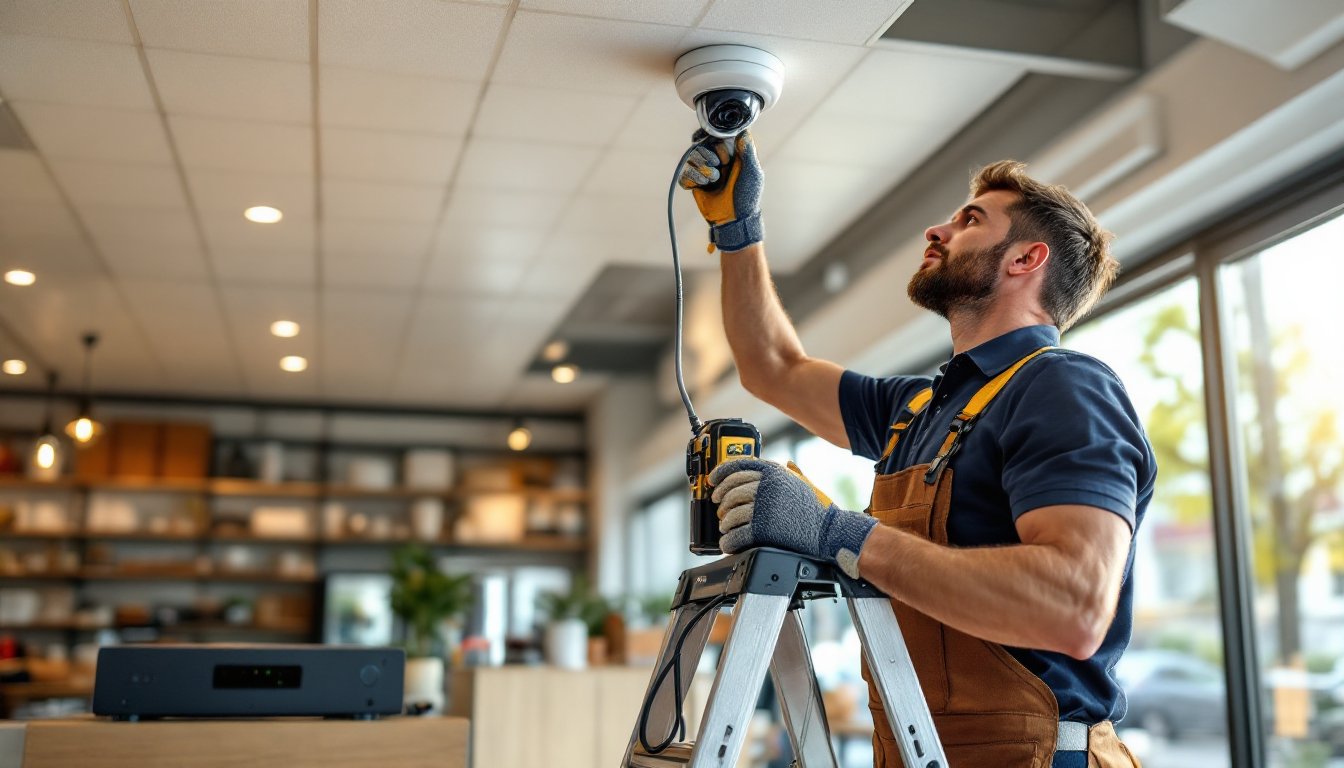
Gather tools before starting. You’ll need a drill with masonry and wood bits, fish tape or rods for running cable through walls, cable stripper and crimper for network connections, ladder (8-foot minimum for most commercial spaces), and voltage tester to confirm you’re not drilling into live electrical lines. PPE includes safety glasses (mandatory when drilling overhead) and work gloves.
-
Mark camera locations with painter’s tape. Hold a camera mount at the planned spot and verify the angle captures what you need. Adjust now, not after drilling.
-
Plan cable routes from each camera to the NVR location. Use existing pathways, drop ceilings, crawl spaces, or conduit runs, whenever possible. For exterior cameras, entry through wall penetrations should angle slightly downward (exterior side lower than interior) to prevent water infiltration.
-
Run cables first, install cameras second. This sequence prevents damaging installed cameras while wrestling cable through tight spaces. Label both ends of every cable with numbered tape matching your floor plan.
-
Test each cable with a network tester before terminating or mounting cameras. Finding a damaged cable before everything’s buttoned up saves hours.
Mounting and Positioning Your Cameras
Camera mounts differ by type:
-
Dome and turret cameras mount flush to ceilings or soffits with a three-screw pattern. Mark holes, drill pilot holes (use anchors rated for 15+ lbs in drywall, concrete anchors for masonry), then secure the base plate before connecting cables.
-
Bullet cameras use an adjustable arm mount. Mount the bracket first, adjust angle, then tighten set screws. These work best for long-range coverage like parking lots.
After mounting, connect the network cable and check the camera view through the NVR interface before final positioning. What looked perfect from the ladder often needs 5-degree tweaks when you see the actual image.
Weatherproofing exterior connections: Use outdoor-rated junction boxes for any cable connections outside. Even weather-resistant cameras need protected connection points. Apply silicone sealant around wall penetrations and cable entries.
Running Cables and Setting Up Power
Cat6 cable is stiffer than Cat5e but future-proofs your system for higher bandwidth. Maintain the bend radius, never crease or kink the cable, which damages internal conductors. Keep runs under 300 feet per camera: beyond that, signal degradation occurs even with quality cable.
For in-wall runs through wood studs, drill 5/8-inch holes at least 1.25 inches from the stud edge (to avoid future nail penetration). Use fish tape to pull cable vertically through walls, working from attic or crawl space access when available.
When crossing electrical wiring, maintain 6-inch separation minimum. Parallel runs closer than this can induce interference.
Terminate cables with RJ45 connectors using the T568B wiring standard (orange-white, orange, green-white, blue, blue-white, green, brown-white, brown). A proper crimp eliminates 90% of “camera not connecting” troubleshooting.
PoE setup: Connect all camera cables to the NVR’s PoE ports. The NVR supplies 15.4W–30W per port (depending on PoE standard), powering cameras without separate power supplies. If your NVR lacks enough PoE ports, add a PoE network switch between cameras and NVR.
Configure the NVR according to manufacturer instructions, typically via HDMI monitor connection or web browser. Set recording schedules (continuous vs. motion-triggered), retention periods (auto-delete footage older than X days), and remote access credentials. Use strong passwords: default credentials are the first thing intruders try on internet-connected systems.
Test remote viewing on your smartphone before considering the job complete. Most systems include mobile apps requiring simple network configuration. For internet access from outside your network, you’ll need to configure port forwarding on your router (ports vary by manufacturer) or use the manufacturer’s cloud service.