
Table of Contents
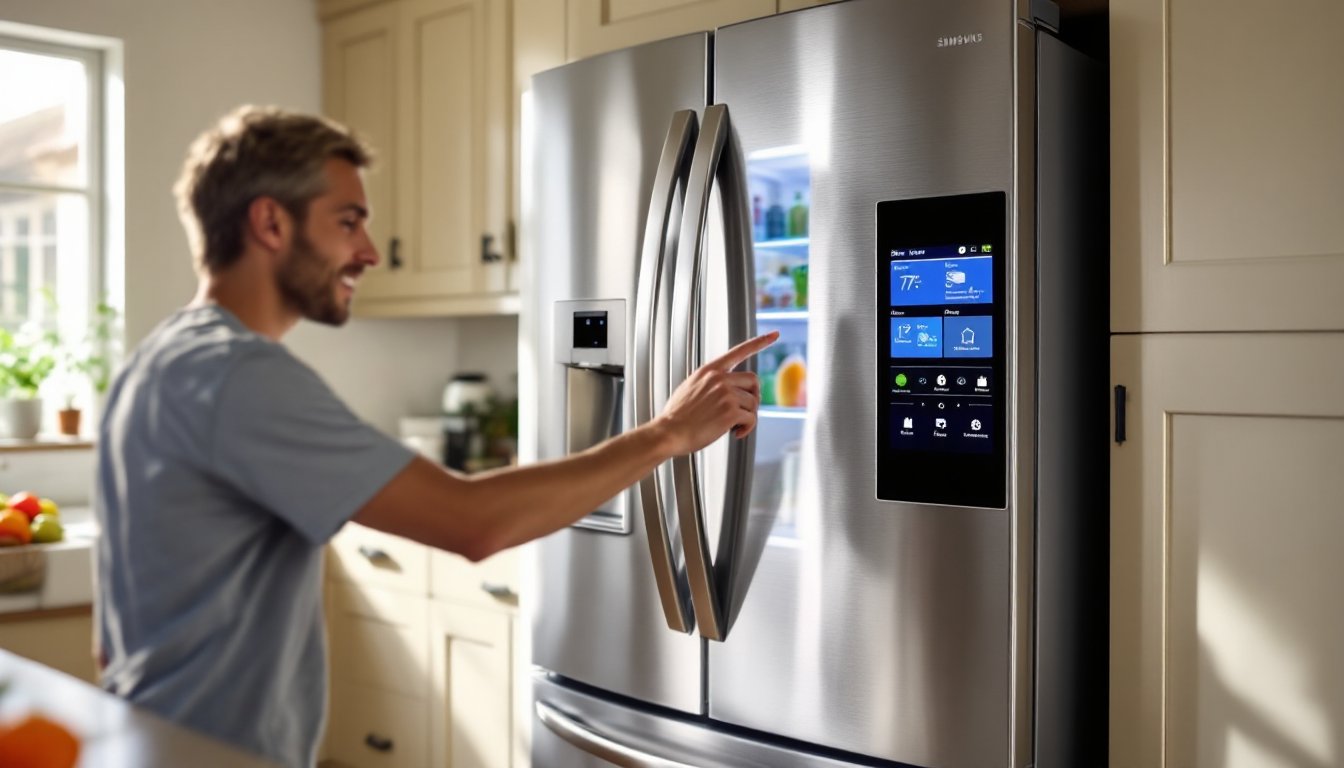
ToggleWhen your Samsung refrigerator starts acting up, display panel freezing, ice maker jamming, or temperature readings going haywire, a simple reset often clears the problem faster than calling a repair tech. Samsung fridges, like most modern appliances, run on circuit boards and software that can glitch after a power surge, firmware hiccup, or just prolonged use. Before you start diagnosing compressor failures or ordering replacement parts, try a reset. It’s the refrigerator equivalent of rebooting your router: quick, free, and surprisingly effective. This guide walks through soft resets, hard resets, control panel resets, and ice maker resets, so you can troubleshoot the right way and get back to cold groceries.
Key Takeaways
- A soft reset—unplugging for 5–10 minutes—solves minor glitches like frozen touchscreens and display issues without erasing your temperature settings.
- A hard reset clears all user settings and factory defaults; use it for persistent error codes, but know it won’t fix hardware failures like a dead compressor.
- How to reset Samsung refrigerator ice makers: locate the test button on the ice maker unit inside the freezer and hold it for 3–5 seconds to trigger a manual freeze cycle.
- After any reset, monitor your refrigerator’s temperature for 24 hours using a thermometer in the main compartment; it should stabilize at 37°F for the fridge and 0°F for the freezer.
- If problems persist after a hard reset and 24-hour observation, the issue is likely hardware failure—such as a failed thermistor or compressor—and requires professional repair or part replacement.
Why You Might Need to Reset Your Samsung Refrigerator
Refrigerator resets solve a surprising range of issues without any tools or disassembly. Common triggers include power outages that scramble the control board, software bugs in the display panel, or sensor errors that throw off temperature regulation. You might also notice the ice maker stops producing, the water dispenser quits mid-pour, or error codes flash across the screen.
Most Samsung models use a microprocessor-controlled system that monitors compressor cycles, defrost timers, and door sensors. When one component hangs or reports faulty data, the board can enter a fault state. Resetting clears temporary memory and forces the system to reinitialize, much like restarting a computer.
Other scenarios that call for a reset: the fridge runs too warm or too cold even though correct settings, interior lights flicker, or the touchscreen becomes unresponsive. In many cases, the underlying hardware is fine, the control logic just needs a fresh start. If you’ve recently moved the fridge, swapped outlets, or experienced a brownout, a reset is your first diagnostic step.
How to Perform a Soft Reset on Your Samsung Fridge
A soft reset is the gentlest approach and works for minor glitches like frozen touchscreens or delayed compressor starts. It doesn’t erase saved settings, temperature preferences, ice type, and door alarms stay intact.
Steps for a soft reset:
- Locate the power cord behind or beneath the fridge. You may need to pull the unit away from the wall a few inches. If the outlet is hard to reach, turn off the dedicated circuit breaker instead.
- Unplug the refrigerator or flip the breaker to the off position.
- Wait five to ten minutes. This delay lets the capacitors discharge fully and the control board lose all temporary memory. Don’t skip this, plugging back in after 30 seconds won’t clear the cache.
- Restore power by plugging the cord back in or resetting the breaker.
- Listen for startup sounds: the compressor should kick on within a minute or two, and the display panel will light up and run through a brief self-test.
After a soft reset, check that your temperature settings return to normal (typically 37°F for the fridge and 0°F for the freezer). If the display shows different values, adjust them manually. The soft reset is safe to repeat and won’t harm the appliance, so if the problem recurs, try it again before moving to a hard reset.
How to Hard Reset Your Samsung Refrigerator
A hard reset clears all user settings and restores factory defaults, including saved temperature preferences, filter change reminders, and diagnostic logs. Use this method when a soft reset fails or when you’re troubleshooting persistent error codes.
Steps for a hard reset:
- Open both fridge and freezer doors to prevent vacuum lock during the reset.
- Unplug the refrigerator from the wall outlet or turn off the circuit breaker.
- Leave the unit unplugged for at least 15 minutes. This extended interval ensures all residual power drains from the board and sensors.
- Press and hold the power button on the control panel (if your model has one) for 10 seconds while the fridge is still unplugged. This step discharges any lingering voltage in the capacitors.
- Plug the fridge back in or restore power at the breaker.
- Reconfigure all settings: temperature zones, ice maker on/off, water filter reminders, and any smart-home connections if you have a Wi-Fi-enabled model.
Some Samsung models with smart home technology integration may prompt you to reconnect via the SmartThings app after a hard reset. Follow the on-screen pairing instructions. Note that a hard reset won’t fix hardware failures, if the compressor is dead or the evaporator coil is frozen solid, you’ll need professional repair or part replacement.
Resetting the Control Panel and Display Settings
If the touchscreen display is glitching but the fridge itself runs fine, you can reset just the control panel without cycling power to the whole unit. This is faster and preserves your temperature settings.
Control panel reset procedure:
- Locate the control lock button (often labeled with a padlock icon). On many Samsung models, it’s near the top right of the panel.
- Press and hold the control lock button for three seconds until you hear a chime or see the lock icon disappear.
- Press and hold both the “Freezer” and “Lighting” buttons simultaneously for 8–10 seconds. Some models use “Fridge” and “Energy Saver” or “Power Cool” and “Power Freeze”, check your user manual for the exact combination.
- Watch for the display to go blank momentarily, then reboot with all indicator lights flashing in sequence. This confirms the panel reset.
If your model has a filter reset button, press and hold it for three seconds after replacing the water filter. The indicator light should turn off. This doesn’t reboot the entire system but clears the filter change reminder, which can sometimes trigger false error codes.
For advanced diagnostics, some Samsung fridges enter a service mode when you press specific button combinations (e.g., “Energy Saver” + “Fridge” for five seconds). Service mode displays raw sensor data and error logs. Unless you’re comfortable reading technical codes, exit this mode by unplugging briefly or pressing the same buttons again.
Resetting the Ice Maker on Your Samsung Refrigerator
Ice maker issues, slow production, hollow cubes, or complete shutdown, often resolve with a targeted reset. Samsung ice makers have a dedicated test button that forces a manual cycle and resets the mechanism.
Ice maker reset steps:
- Locate the ice maker unit inside the freezer compartment. It’s usually mounted to the left wall or ceiling.
- Find the test button. On most models, it’s a small rectangular button on the side of the ice maker housing, sometimes blue or white. Newer models may have it on the front edge of the ice bucket.
- Press and hold the test button for 3–5 seconds. You’ll hear a chime, and the ice maker will begin a test cycle, ejecting any ice in the mold, refilling with water, and starting a new freeze.
- Wait for the cycle to complete (about 6–10 minutes). The auger will rotate, dumping fresh ice into the bin.
- Check water supply. If the ice maker refills but doesn’t freeze, verify the freezer is set to 0°F and the water line valve (behind the fridge) is fully open. Low water pressure or a clogged 0.25-inch compression fitting can also prevent proper filling.
If the ice maker still doesn’t work, remove the ice bucket and inspect the fill tube at the back of the compartment for ice blockages. A hair dryer on low heat can thaw minor clogs, never use a heat gun or open flame. For fridges with appliance maintenance guides, consult model-specific troubleshooting charts if error codes persist.
Troubleshooting Tips After Resetting Your Fridge
Once you’ve reset the refrigerator, monitor performance over the next 24 hours. Temperature stabilization takes 4–6 hours after any power cycle, so don’t panic if the fridge feels warm immediately after reset. Place a refrigerator thermometer (under $10 at most hardware stores) in the center of the main compartment to verify it reaches and holds 37°F.
Common post-reset checks:
• Listen for the compressor. It should cycle on for 15–20 minutes, then off for 30–40 minutes. Continuous running or no sound at all signals a deeper issue.
• Inspect door seals (gaskets) for gaps or cracks. A compromised seal forces the compressor to overwork and can mimic control board failures. Test by closing a dollar bill in the door, if it slides out easily, the gasket needs replacement.
• Clear condenser coils. Dust buildup on the coils (located on the back or underneath) reduces cooling efficiency. Vacuum them every six months using a coil brush attachment.
• Check error codes. If the display shows codes like “1E,” “5E,” or “RD,” consult your user manual. Some codes indicate sensor faults that require part replacement, not just resets.
• Test all functions. Run the ice maker, water dispenser, and interior lights to confirm full system recovery.
If problems persist after a hard reset and 24-hour observation period, the issue is likely hardware: a failed thermistor, defrost heater, or control board. Many product reviews note that Samsung refrigerators from certain model years (2016–2019) had higher-than-average compressor failure rates, which no reset will fix. At that point, contact Samsung support or a licensed appliance repair tech. DIY compressor replacement isn’t practical for most homeowners and may void warranties.
Safety note: Always unplug before accessing internal components. If you smell burning plastic, hear loud grinding, or see smoke, shut off power immediately and call a professional.
Conclusion
Resetting a Samsung refrigerator is straightforward and solves most software glitches, control panel freezes, and ice maker hiccups without a service call. Start with a soft reset for minor issues, escalate to a hard reset for stubborn error codes, and use targeted resets for the control panel or ice maker when needed. Monitor temps for 24 hours after any reset, and if performance doesn’t improve, you’re likely facing a hardware failure that needs professional attention. Keep your model number handy, it’s on a sticker inside the fridge door or on the back panel, so you can reference specific diagrams and troubleshooting steps when needed.